Dub is the strongest fit when you care about modern attribution-aware routes and cleaner campaign-level control.
Comparison & buying guide
Best for governed workflows
Best for broad branded-link recognition
Best rule
Best link tracking tools by workflow, not just feature list
The right tool depends on what you need the public route layer to do after launch: branded links, editable destinations, campaign analytics, teammate controls, or a cleaner fit with a governed workflow.
Use this page when you are choosing between Dub, Bitly, Rebrandly, and Short.io, and you want the honest answer about fit, watch-outs, and where software ends but process begins.
Bitly still wins on familiarity and broad team recognition, especially when you want easy adoption.
Choose the tool that fits your route layer and review rhythm. No dashboard fixes a weak ownership model.
Start here
Start with the decision you actually need to make
The most common buying mistake is comparing every feature to every feature. Start with the job your route layer needs to do in the next 30 to 90 days.
You need the broadest answer first
If you are still deciding whether you need a branded public route layer, a governed spreadsheet, or a full tracking stack, use the umbrella page first.
You are choosing a shortener specifically
If the question is mainly about branded short links, domains, redirects, and route editing, compare shortener-specific options next. If that route will sit inside a creator profile or multi-link layer, read link in bio before you choose the tool.
You think Dub might be the right fit
Dub is a strong fit for modern attribution-aware teams, but it is still worth checking the workflow reasons before assuming it solves governance by itself.
You are deciding whether to pay yet
If the real question is whether a paid tracker is justified at your current scale, compare the trade-offs directly before buying on branding alone.
What this page actually compares
This page compares the tools on the things that matter after launch: route control, branded domain setup, team usability, workflow fit, and whether the tool helps or hides operational mess.
This page compares
- branded route control
- destination editing and safety
- team usability and governance fit
- campaign analytics and reporting visibility
- how each tool behaves inside a governed workflow
This page does not replace
- your route ownership model
- your change log and source of truth
- your UTM rules and QA gate
- your redirect validation workflow
- your attribution interpretation layer
Important: a polished interface can still hide a weak system. If nobody knows what is live, who owns it, or how to retest it, the tool choice will not rescue the workflow.
Best by workflow
Best link tracking tools by operating context
These are not absolute winners for every team. They are the strongest fits for different route-control jobs.
Dub
Best when you want a modern route layer that fits measurement-aware teams, branded links, QR support, and cleaner campaign-level control without feeling stuck in an older enterprise dashboard.
Why it wins
The product feels built for modern link operations rather than just shortening. It is easier to fit into attribution-aware workflows and route control discussions.
Watch-outs
You still need governance, naming rules, and a source of truth. It helps the route layer, not the whole operating model.
Bitly
Best when you want a widely recognised brand, easy onboarding for less technical teams, and a familiar environment for branded short links and basic campaign use.
Why it wins
Teams often understand Bitly immediately, which reduces adoption friction when you need a simple branded-link layer across multiple stakeholders.
Watch-outs
The broader question is still who owns the routes, where they are logged, and how you validate edits. Recognition does not equal governance.
Rebrandly
Best when branded domains and controlled campaign links matter more than having the most modern analytics layer. Useful when link brand consistency is the first priority.
Why it wins
Good fit when the public route layer is the asset and your team values domain/back-half control over fancier measurement features.
Watch-outs
If the real gap is workflow, QA, or interpretation, a branded-link tool alone can leave the deeper issues untouched.
Short.io
Best when you want strong domain flexibility, more technical control, and a system that can fit teams comfortable with custom setup rather than pure plug-and-play simplicity.
Why it wins
Useful when you care a lot about domain-level control and you want a configurable layer for more technical route management needs.
Watch-outs
It rewards teams that already have process clarity. If the workflow is fuzzy, more flexibility can simply expose more room for drift.
Comparison table
Use the table below as a first filter, then decide whether your next problem is tool selection, route ownership, or workflow design.
If the real decision is whether to pay at all, not which vendor looks nicest, use free vs paid link tracking tools before you choose a stack.
| Tool | Best fit | Where it helps most | Main watch-out |
|---|---|---|---|
| Dub | Modern attribution-aware workflows | Branded routes, campaign control, QR support, cleaner modern UX | Still needs governance, QA, and logging around it |
| Bitly | Broad team adoption and branded links | Familiarity, broad recognition, simple rollout across stakeholders | Recognition can mask weak ownership or change control |
| Rebrandly | Branded campaign-route control | Domain/back-half control and marketing-friendly route editing | Does not solve process or interpretation by itself |
| Short.io | Technical route infrastructure | Custom-domain flexibility and technical configuration | Needs stronger process clarity to avoid drift |
Buy on fit, not novelty: the best tool is the one that matches the public route job you actually have, not the dashboard that looks most impressive in isolation.
Product interface examples
The screenshots below show the sort of route-layer control each product is built around. They are useful for understanding product shape, not just comparing logos.
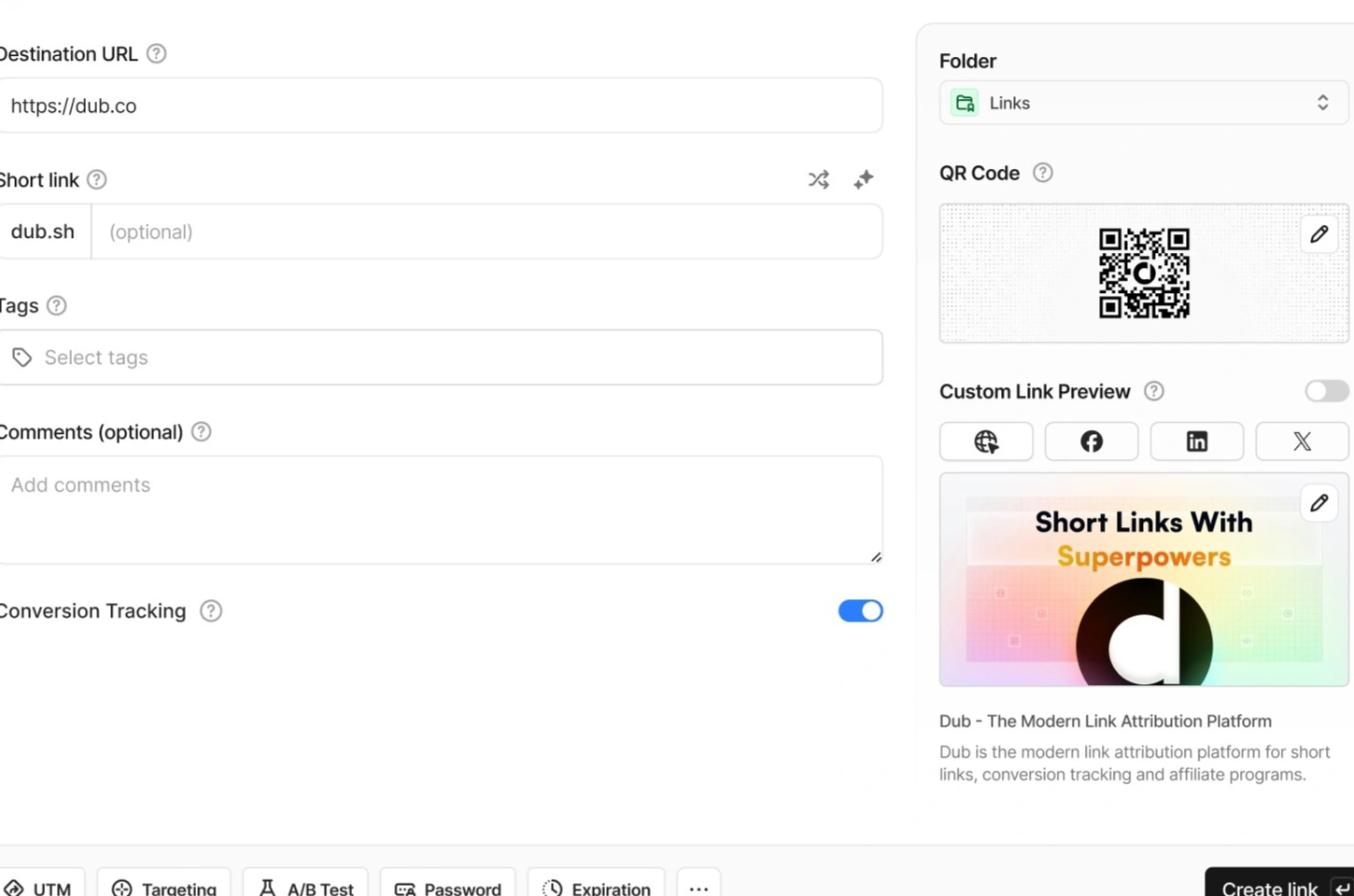
Dub
Modern route creation flow with conversion-aware controls, QR support, and branded routing.
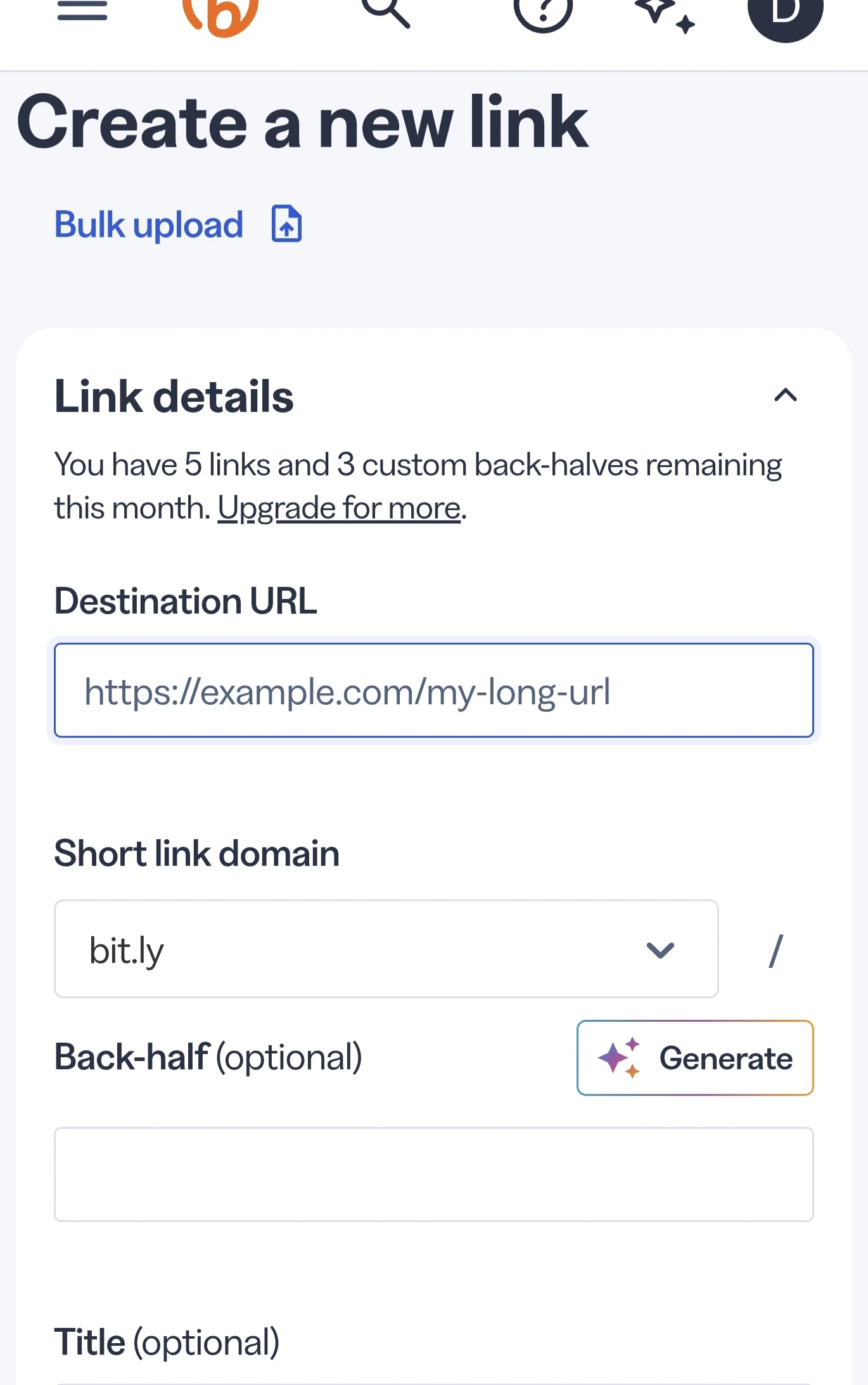
Bitly
Clear branded-link creation flow that stays familiar to broad marketing teams.
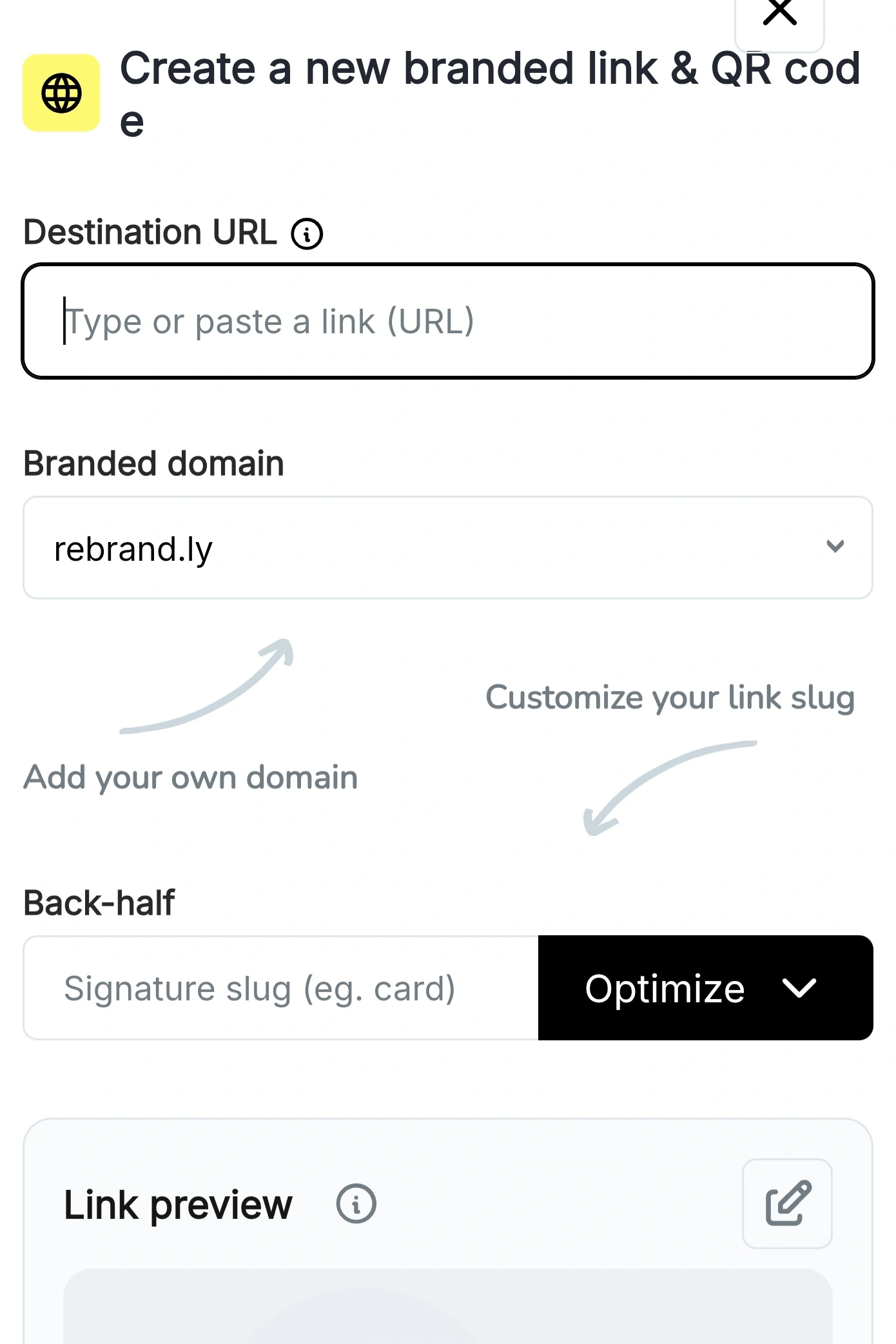
Rebrandly
Strong branded routing and back-half control for campaign route management.
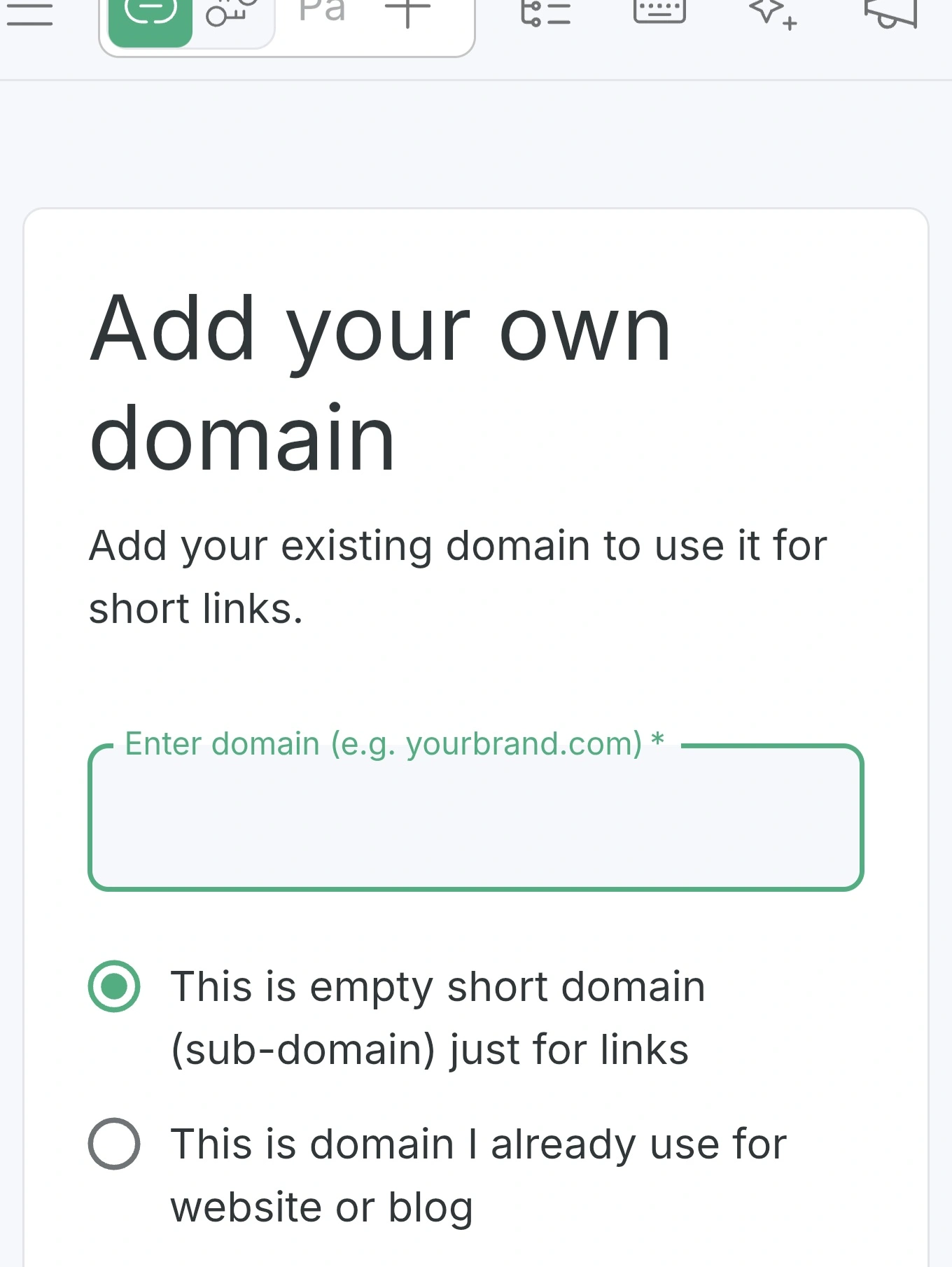
Short.io
Technical custom-domain setup that suits teams who want more infrastructure-style flexibility.
Where each tool fits in a governed workflow
If your real question is “can we publish this route safely?”, the answer lives in the Redirect Checker, not in the feature list alone. That page owns launch-ready redirect validation and route evidence.
Good tooling only works when the route layer sits inside a real workflow. Here is the cleanest mental model for fitting each product into that bigger system.
Dub
Fits best when you already care about attribution-aware route control and you want the route layer to feel modern, composable, and easier to connect to creator, affiliate, and growth workflows.
Bitly
Fits best when you need broad adoption, stakeholder familiarity, and a route layer that does not require much explanation before rollout.
Rebrandly
Fits best when branded route presentation and domain control matter more than having the most modern analytics surface.
Short.io
Fits best when technical domain control and configurable route infrastructure matter more than keeping setup minimal.
Workflow truth: the tool is only one layer. You still need a source of truth, ownership and change control, and redirect validation.
Bigger than software
When the real problem is process, not software
If your numbers disagree, routes break silently, or nobody knows which public link is still live, buying a new product may only change the interface around the same weak system.
Weak ownership
No tracker can fix communal routes with no owner and no edit approval path.
No source of truth
If the only inventory is in people’s heads, every tool looks worse than it is.
No QA gate
Branded links still need redirect validation, UTM review, and post-change retesting.
FAQs
These are the questions most likely to matter before you buy or switch tools.
What is the best link tracking tool overall?
There is no single winner for every team. Dub is the best fit for modern attribution-aware workflows, Bitly is strongest for broad recognisability, Rebrandly is strong for branded route control, and Short.io is strong for technical domain flexibility.
Do I need a dedicated link tracking tool at all?
Not always. Small teams can often start with cleaner UTMs, a source-of-truth sheet, and basic route control before buying a premium tool.
Which tool is best for branded short links?
Bitly and Rebrandly remain strong branded-link picks. Dub also fits well when you want branded routes inside a more modern attribution-aware workflow.
Can a link tracking tool fix weak governance?
No. A tool can help with route creation and analytics, but you still need ownership, QA, change control, and one source of truth to keep the system stable.
When should I pay for a premium tracker?
Pay when the public route layer is genuinely valuable: branded links, editable destinations, campaign reuse, QR workflows, or team-level route control. Do not buy just because the dashboard looks cleaner.
Sources
Go to the decision layer you actually need
Next step
Choose the tool after you choose the system
The better your ownership model, source of truth, and redirect validation workflow, the easier it is to pick the right tracker without paying for the wrong layer first.